
Documentation
Finding things
One query covers every tool you use. Search is keyword and meaning at once: exact terms are matched, and so are the turns that meant the same thing in different words.
In the web UI
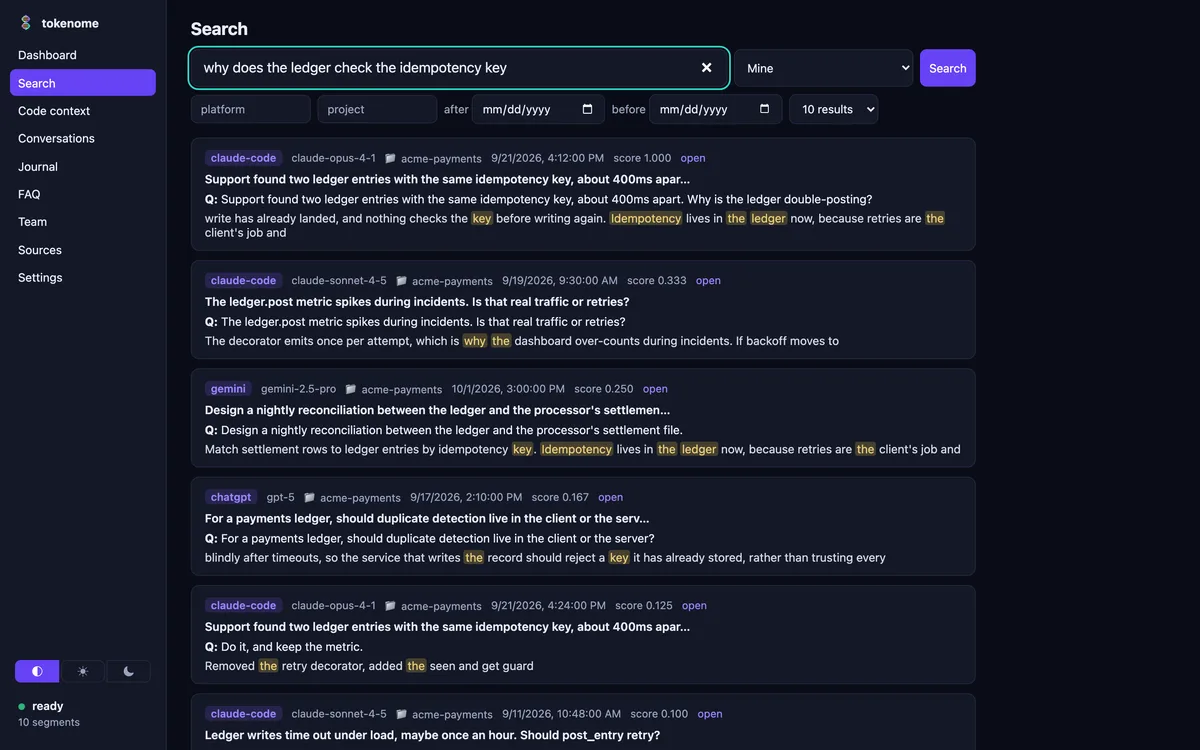
Open it with tokenome app, or tokenome open when the service
is already running; both land on localhost:8741. The Search page takes a
question in your own words. Each hit shows the matching text with your terms
highlighted, the platform and model it came from, the project, and when it happened.
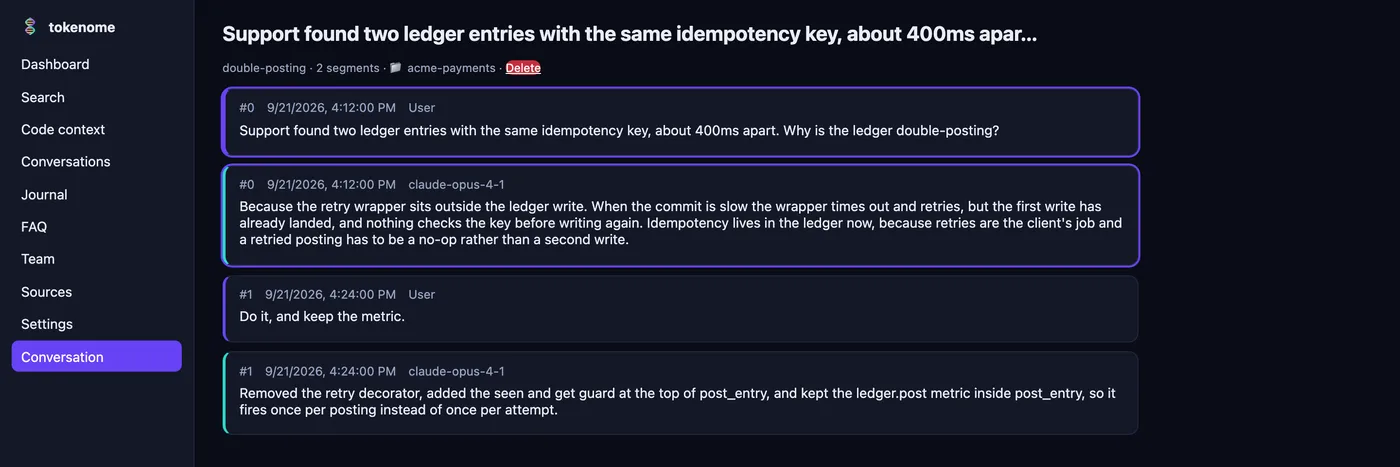
Opening a hit puts you in the conversation reader at the cited turn, so you read the exchange in order rather than a snippet out of context.
In the desktop app, Command-Shift-K opens a search palette from anywhere, with arrow keys and Return to jump straight to a turn.
On the command line
tokenome search "why does the ledger check the idempotency key"The same index, the same ranking. Add --json when something else is going
to read the output.
| Filter | What it does |
|---|---|
--top-k N | How many results to return. The default is 10. |
--project NAME | One project only. |
--platform NAME | One tool only: claude-code, chatgpt, claude-desktop, gemini. |
--model NAME | One model only. |
--ai-label NAME | One label only. Searches locally. |
--conversation ID | Inside one conversation. Searches locally. |
--since, --until | An ISO 8601 time range. |
--around T --window M | Minutes either side of a moment. Useful with a commit time. |
--scope | Where to look. See below. |
--json | Machine-readable output. |
Scope: yours, the team's, or both
On one machine there is nothing to choose; every search is your own index. Once you
are enrolled on a team server, the Search page gains a scope selector and the CLI takes
--scope.
| Scope | What you get |
|---|---|
auto | The default. Team when you are enrolled, your own index when you are not. |
team | The shared index: everyone's opted-in projects, each hit attributed to the person who shared it. |
mine | Your local index only, including the conversations you have never shared. |
all | Both, ranked separately. Anything you shared appears once, in the team section. |
If the server does not answer quickly, you get your local results with a visible warning rather than a spinner. See Team.
Other ways in
tokenome search ... --aroundwith a commit timestamp, when you know when something happened but not what it was called.tokenome context, when you have a file and a line rather than a question.tokenome faq, when the question is one you have asked before.- The MCP tools, when it is your agent asking rather than you.