
Documentation
Agents and MCP
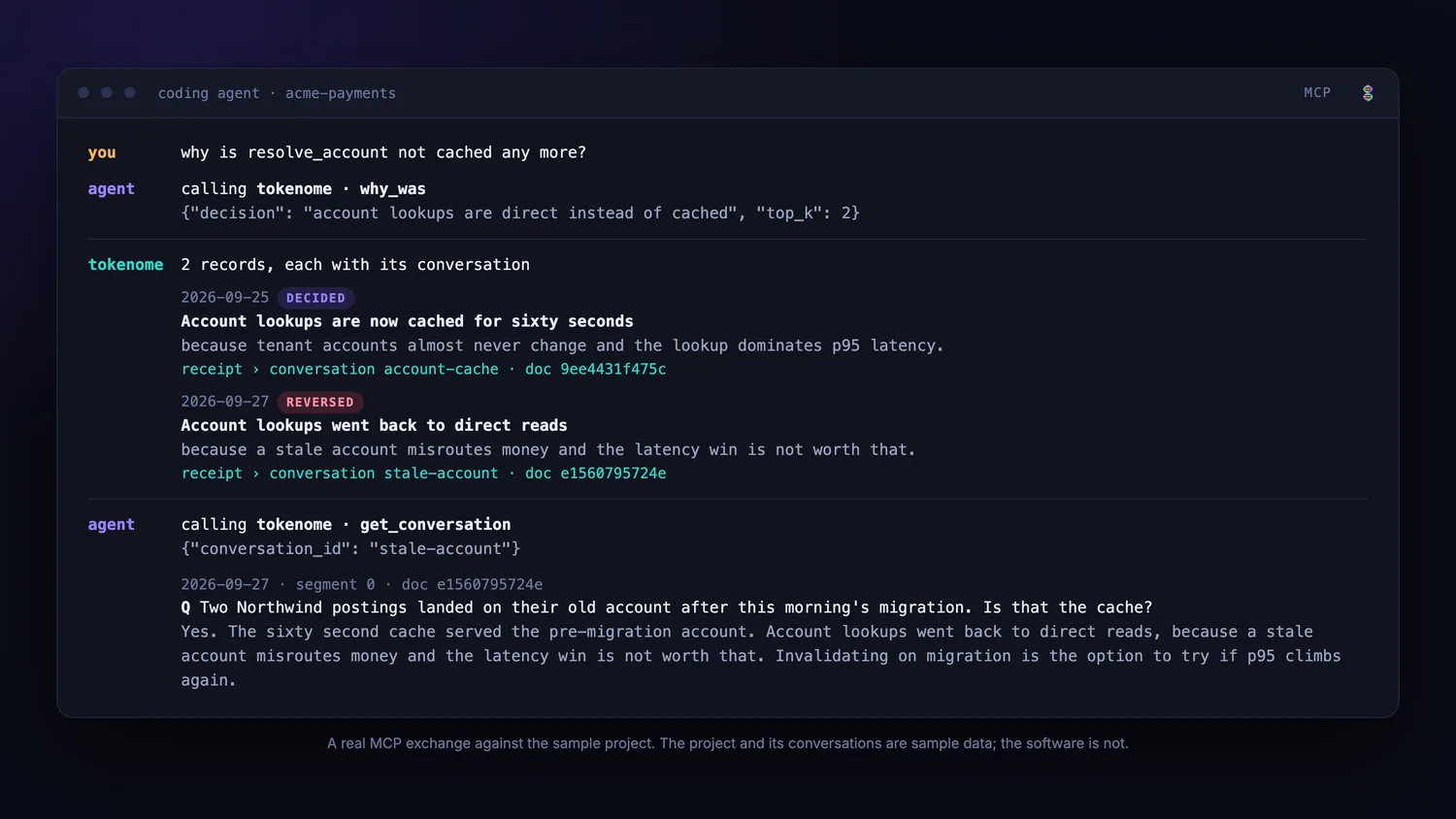
Your agent can query your history itself, instead of you pasting context into it. Tokenome serves an MCP endpoint on the machine; the tools below are what an agent gets.
Connecting Claude Code
With the app running, one command does everything:
tokenome claude installThat registers the MCP server with Claude Code, using the token for this machine, and
installs the plugin. If the claude command is not on your PATH, it prints
the exact commands to run yourself. From inside a session, the fallback is:
claude plugin marketplace add tokenome/releases
claude plugin install tokenome@tokenome
tokenome claude uninstall removes the registration again.
The tools an agent gets
| Tool | What it answers |
|---|---|
why_was | The stated reason behind a decision, with the quote that proves it. Searches the journal, so the answer is the reason rather than a turn that mentions it. |
ask_faq | A recurring why question, from the running FAQ, with its evidence and its answer history. |
search_memory | Why a past decision was made, what was tried, who agreed to what. The general entry point. |
get_journal | What was done on a day, and why, with the quoted receipts. |
get_conversation | A past thread, turn by turn, as it actually unfolded. |
get_document | One turn in detail: the exact wording of a single exchange. |
find_related | Other times a topic came up, starting from a result already in hand. |
find_conversations_near | What was being discussed when a change was made. Pass a commit or blame timestamp. |
browse_by_label | What a particular model or tool was used for. |
get_recent | What has been worked on most recently, across every tool. |
Results come back compact, with ids the agent can expand, so a lookup costs a fraction of pasting a transcript in. In a controlled evaluation the recommended configuration answered questions about past work with 38% less context and no measurable change in answer quality; the evaluation page gives the method and says what the numbers cannot support.
What the plugin adds
- A skill that teaches Claude when to reach for history, which tool answers which question, how to chain them, how to attribute a teammate's shared conversation, and what to do when Tokenome is not running. It loads on demand and costs nothing when the prompt has no history angle.
- A prompt hook that nudges the agent to look in Tokenome first on retrospective prompts.
- A session hook that indexes the session transcript when the session ends, so today's work is searchable tomorrow.
- Slash commands:
/tokenome:why <decision>and/tokenome:search <query> [mine|team|all].
The hooks are plain HTTP calls to the service on this machine, authenticated with the
token file, so they work whether or not tokenome is on your PATH.
Other MCP clients
The endpoint is served by the running service at
http://127.0.0.1:8741/mcp. For a client that speaks stdio rather than
HTTP, including Claude Desktop, tokenome mcp proxies to it. The standalone
package also installs tokenome-mcp for the same purpose.
The app has to be running. Memory is unavailable when the service is not up,
and the skill says so rather than guessing. Start the desktop app, or run
tokenome app. After editing or updating the plugin, run
claude plugin update tokenome@tokenome and start a new session; the
installed copy is a snapshot.