The problem
It all still exists, somewhere. It is just not where the work happens: not linked to the code, not visible to the team, not available to an agent.
Three moments where it costs hoursProvenance · Local-first · Cross-tool
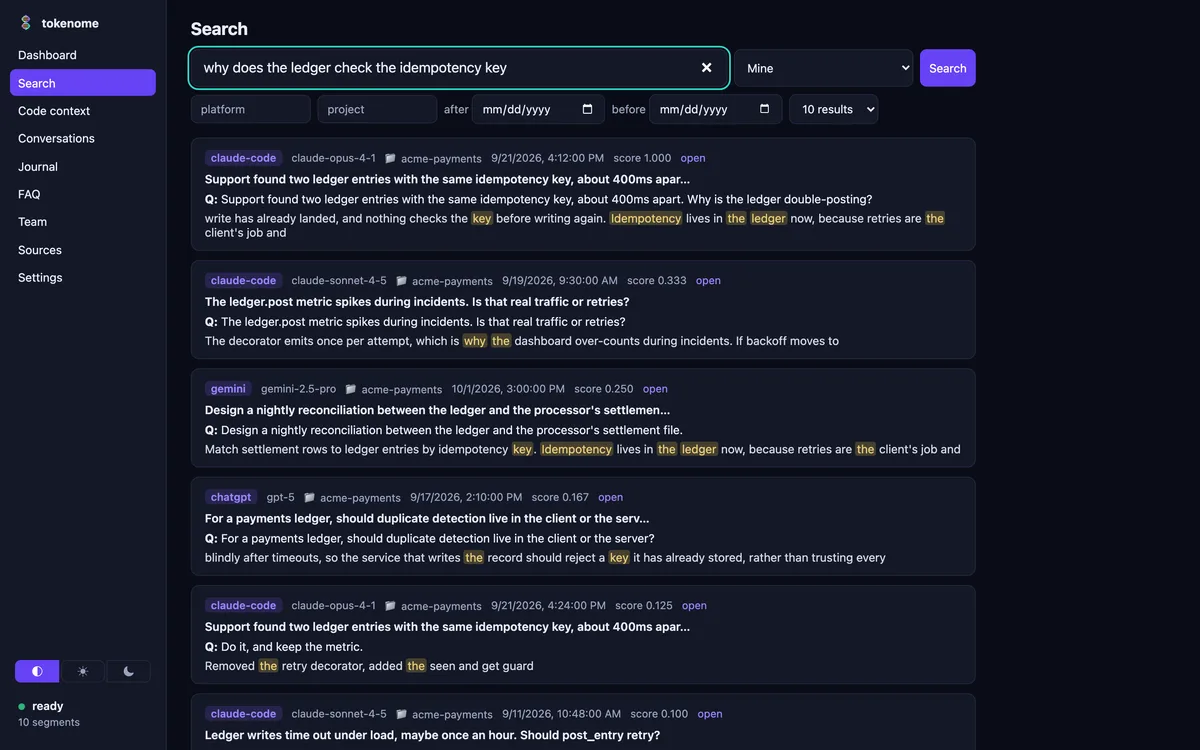
The reasoning behind your code is trapped in chat history: siloed by tool, invisible to your team and your agents. Tokenome links every line to the conversation that produced it, on your machine, so nobody pays twice to work out what the team already knew. Measured: 38% less context, no measurable change in answer quality. See the evidence.
Nothing leaves your machine. No account. No cloud embeddings. The app checks the releases page for updates; what it sends.
Signature feature
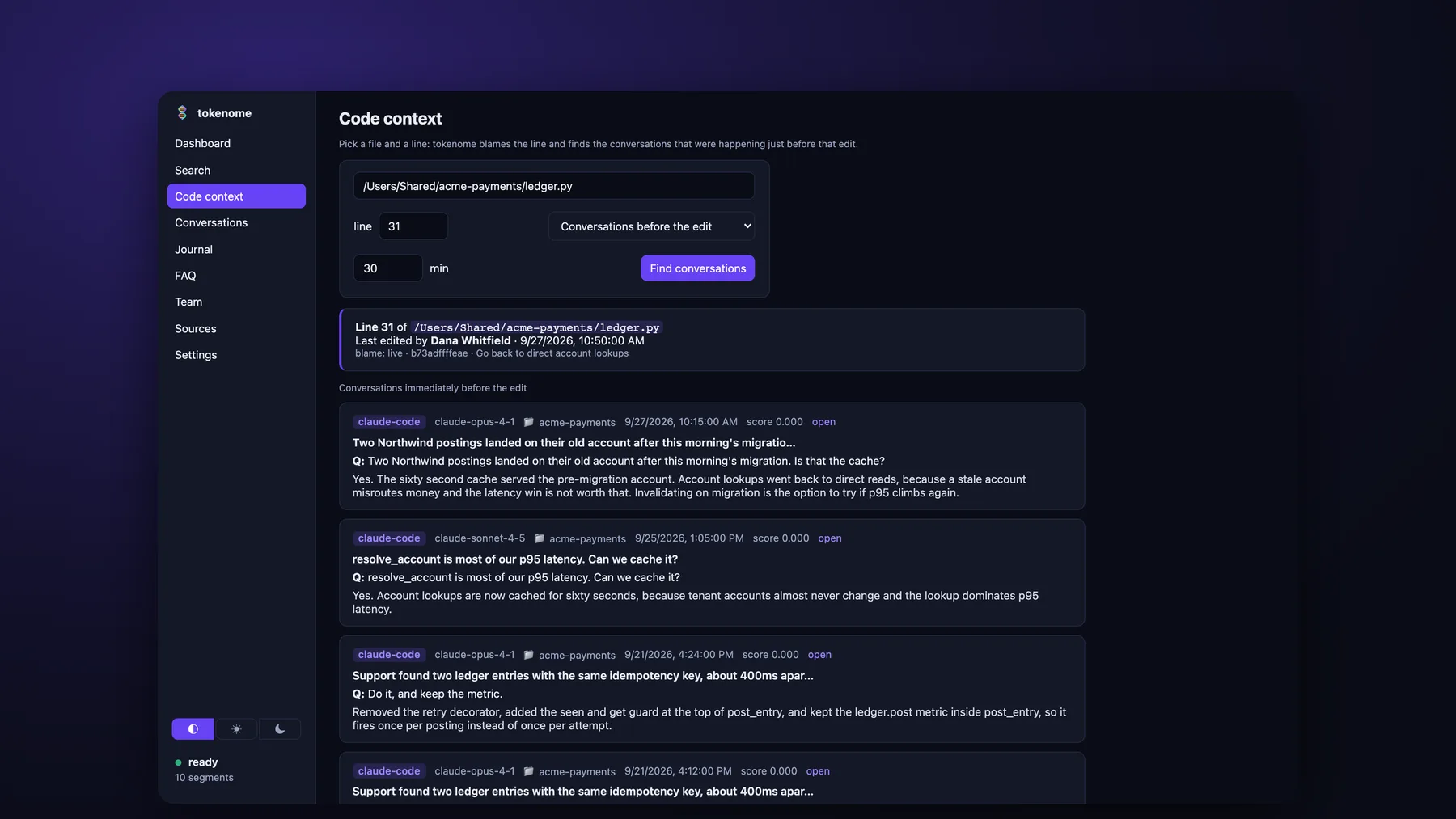
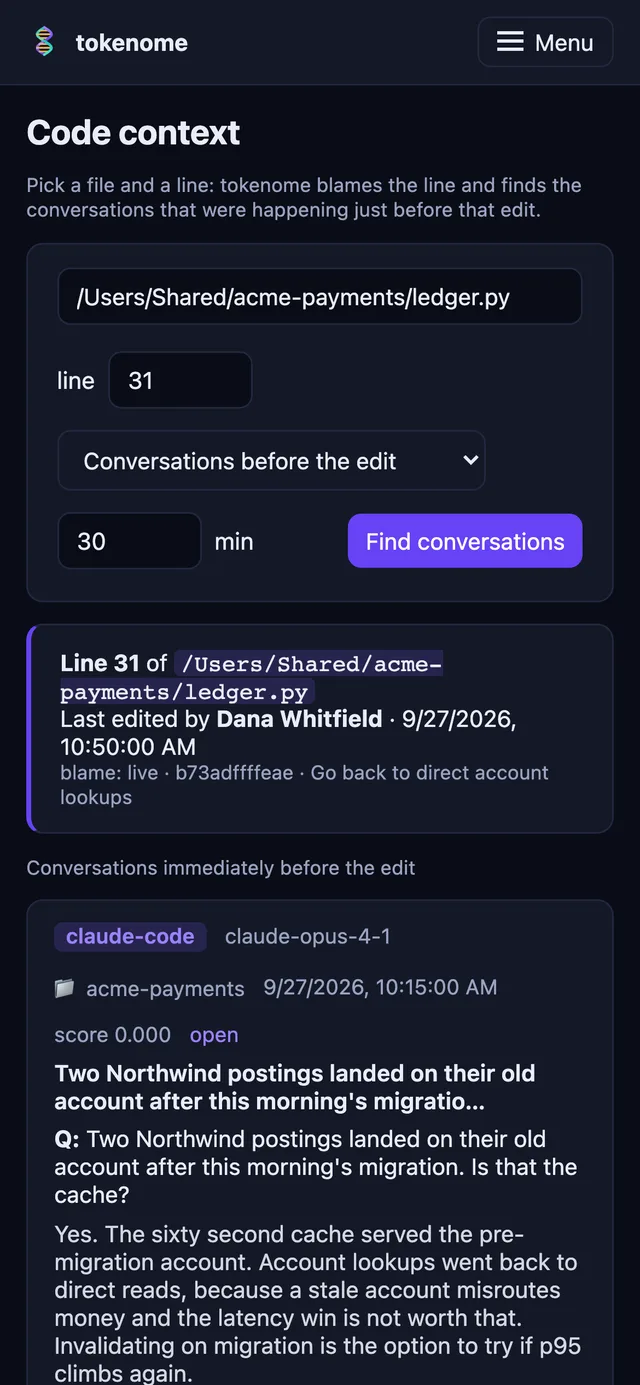
git blame for the "why"Point at any line of code. Tokenome blames it to learn when it was last edited, then surfaces the conversations from exactly that change. Permanent, searchable, and yours.
Hover a highlighted line
Why is the retry wrapper double-posting on timeout?
Because the wrapper retries before the ledger write commits, so a slow commit looks like a failure and the second attempt writes again. Move the idempotency check into the ledger and let the client own backoff.
ledger.py:42-44Do we lose the per-call metric if backoff moves to the client?
Yes, unless we emit at post time with the tenant attached. Fewer moving
parts is worth it; keep one emit inside post_entry.
ledger.py:46See it work
A narrated tour in under three minutes: search, code context, the decision journal, the agent's view, and the team server. Short on time? Watch the 30-second cut.
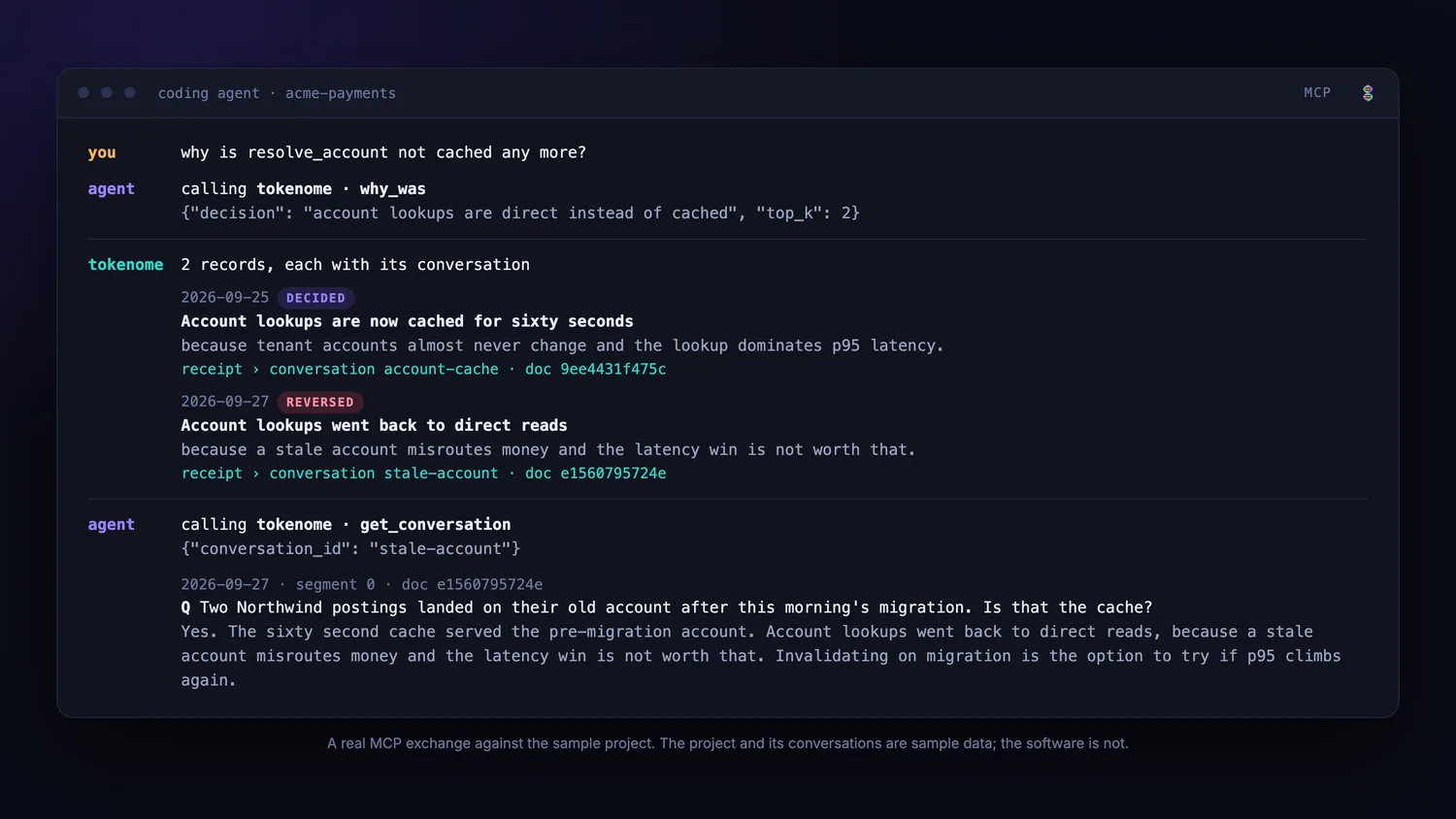
Tokenome runs an MCP server on your machine. An agent calls
why_was, gets the decision and the reversal that followed it, each with
the conversation it came from, then opens the cited turn. No network calls leave the
machine. See the agent's view in full.
In Claude Code the tools arrive as a plugin:
claude plugin marketplace add tokenome/releases, then
claude plugin install tokenome@tokenome. The app does both for you with
tokenome claude install.
Why it exists
It all still exists, somewhere. It is just not where the work happens: not linked to the code, not visible to the team, not available to an agent.
Three moments where it costs hoursFive stages, all local: capture, segment, embed, index, serve. Claude Code, Claude Desktop, ChatGPT and Gemini today, served through a CLI, a web UI and MCP.
How it worksOnce a day, Tokenome writes down what you decided and why. Every reason quotes the sentence it came from. If a claim cannot be quoted, it is not written down.
See a journal entryThe old tools for working together have mostly gone away. John O'Neil on what replaced them, and what Tokenome does about it.
Read the note
Your AI coding tools, Claude Code, Claude Desktop, ChatGPT and Gemini, write their transcripts to disk as you work. Tokenome reads them where they land.
On the same machine it splits the threads into turns, computes the embeddings on your own hardware, and indexes everything locally in Typesense. Code provenance links a line of code back to the conversation that produced it.
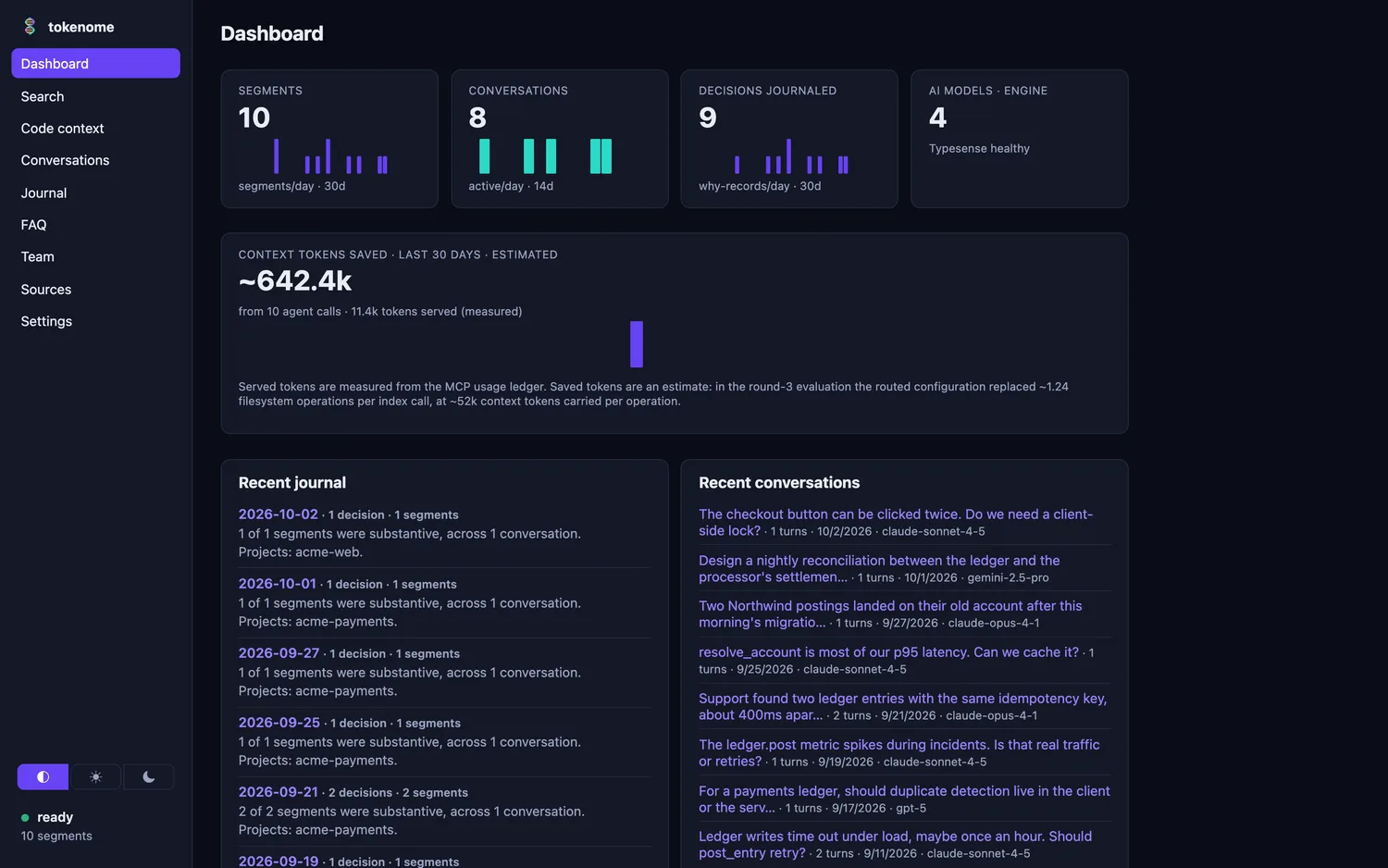
You reach the index through the app, the command line and a local web UI, and an agent reaches it over MCP. All of that is free, and none of it leaves the machine.
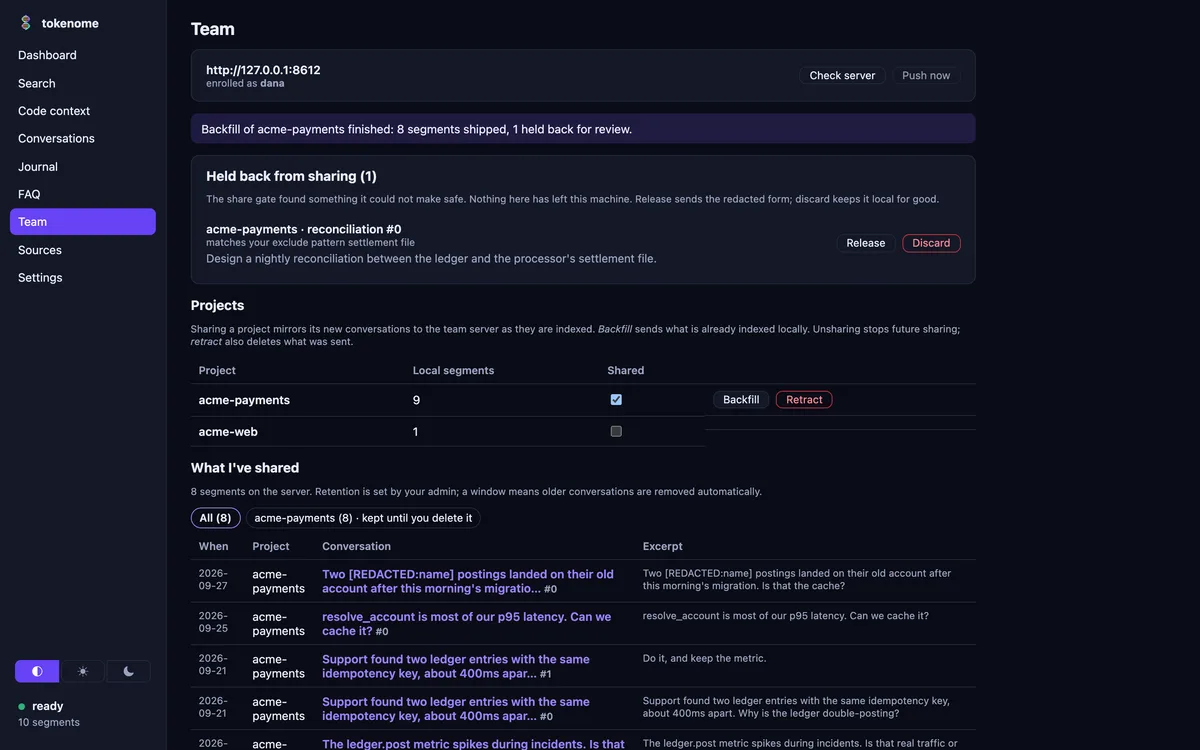
One gate crosses the boundary. When you opt a project in, its segments are redacted on the laptop and then mirrored to a team server your organization runs, where a teammate's search finds them with your name on them. Tokenome does not host that server.
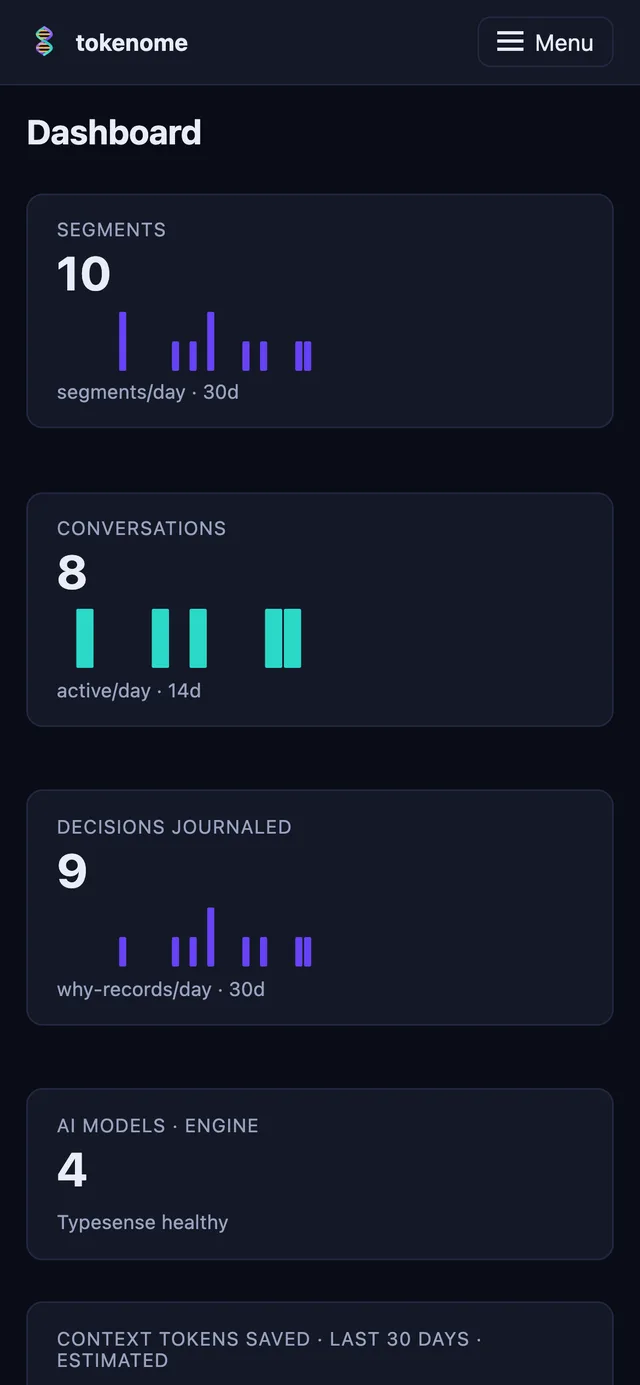
A 38% cut in context, with no measurable change in answer quality. The quality differences between configurations sit inside the measurement noise; the token savings do not. The evidence in brief · the full evaluation, including what we cannot claim.
Team · in beta
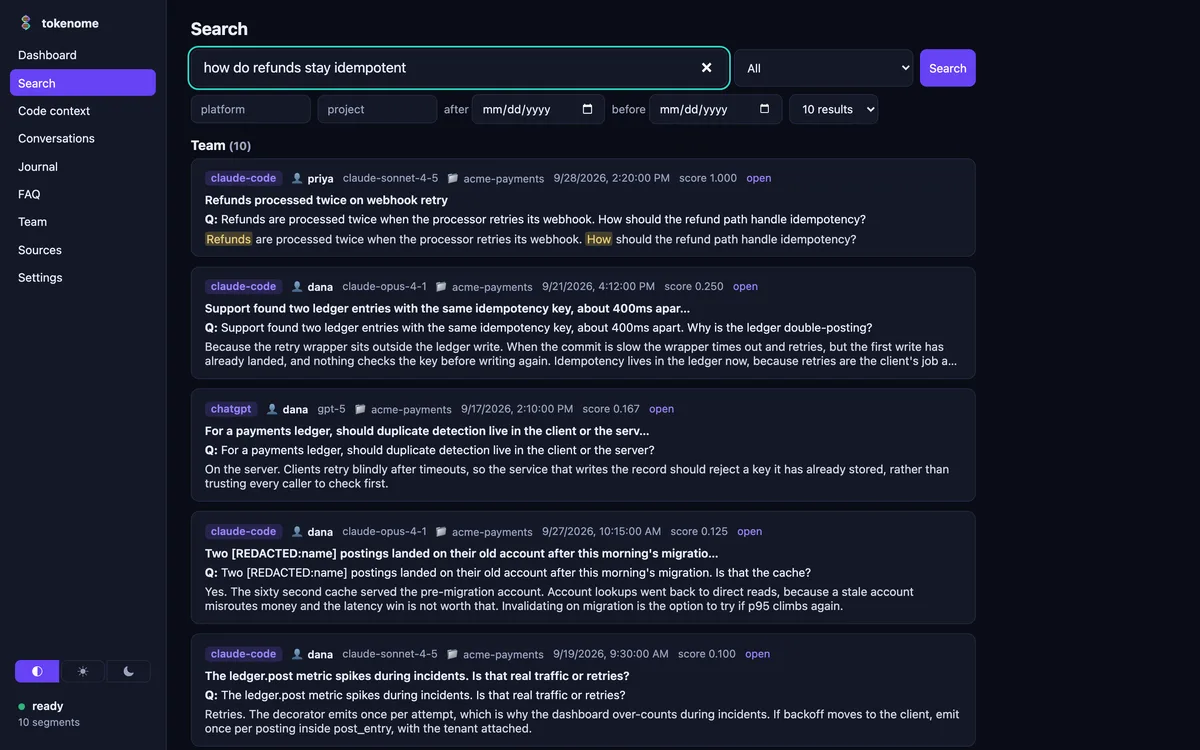
Team is real and running. A member searches their own history and everyone's shared projects in the same query, and every team hit carries the name of the person it came from. You pick which projects to share. Secrets are redacted on the laptop before anything leaves it, and the server is yours: Docker or Railway, on your own infrastructure. Team is free while it is in beta.
The server is one container image,
ghcr.io/tokenome/tokenome-server, built and smoke-tested on x86_64 and
aarch64 with every release. The compose bundle on the releases page pins the version
and brings up the index, the server and automatic TLS; on Railway it is the same
image as one service with a volume. The image is published with the launch release,
so if a pull is refused, write to hello@tokenome.ai
and we will get you access.
In the beta now
Coming, not available yet
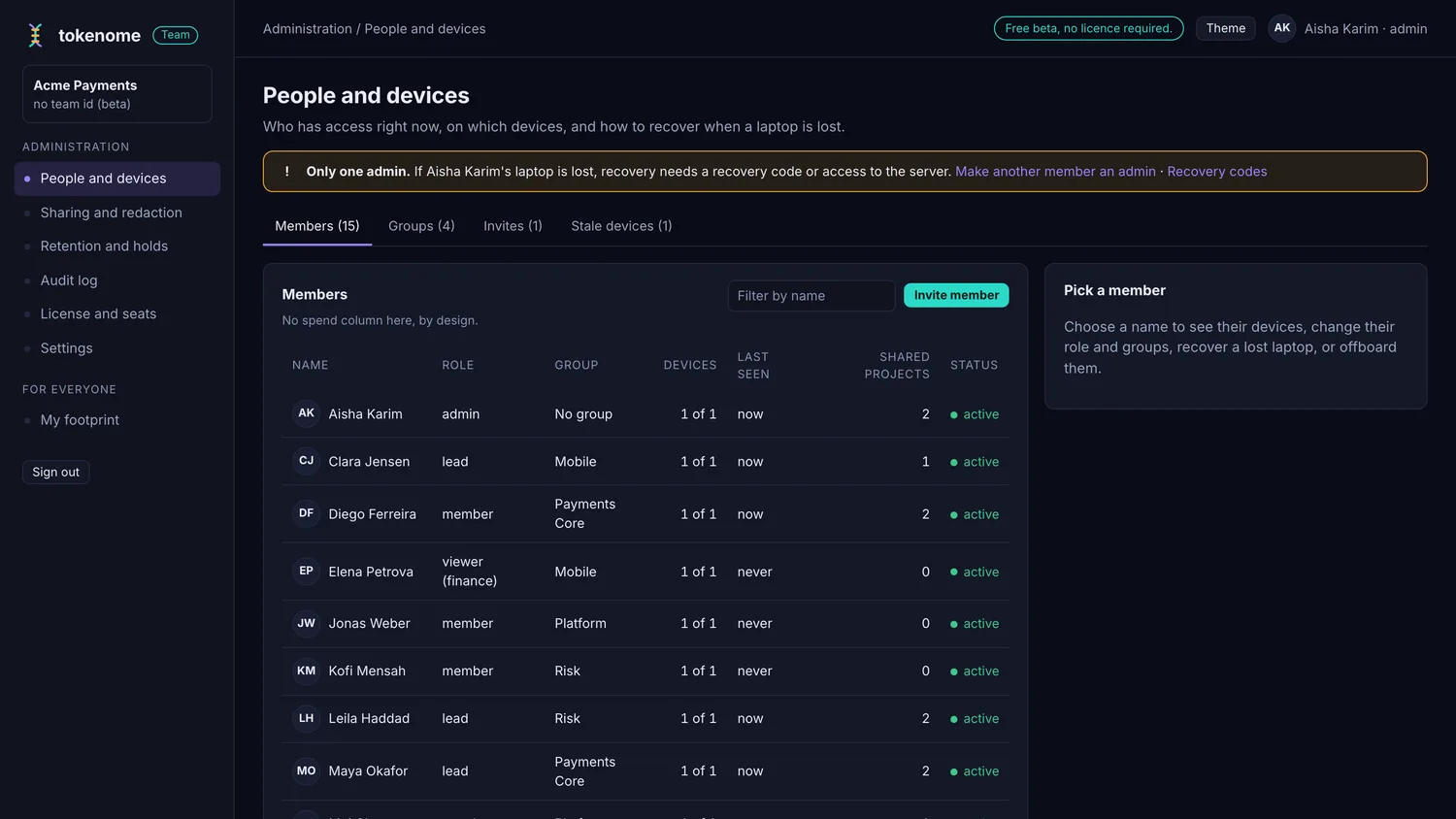
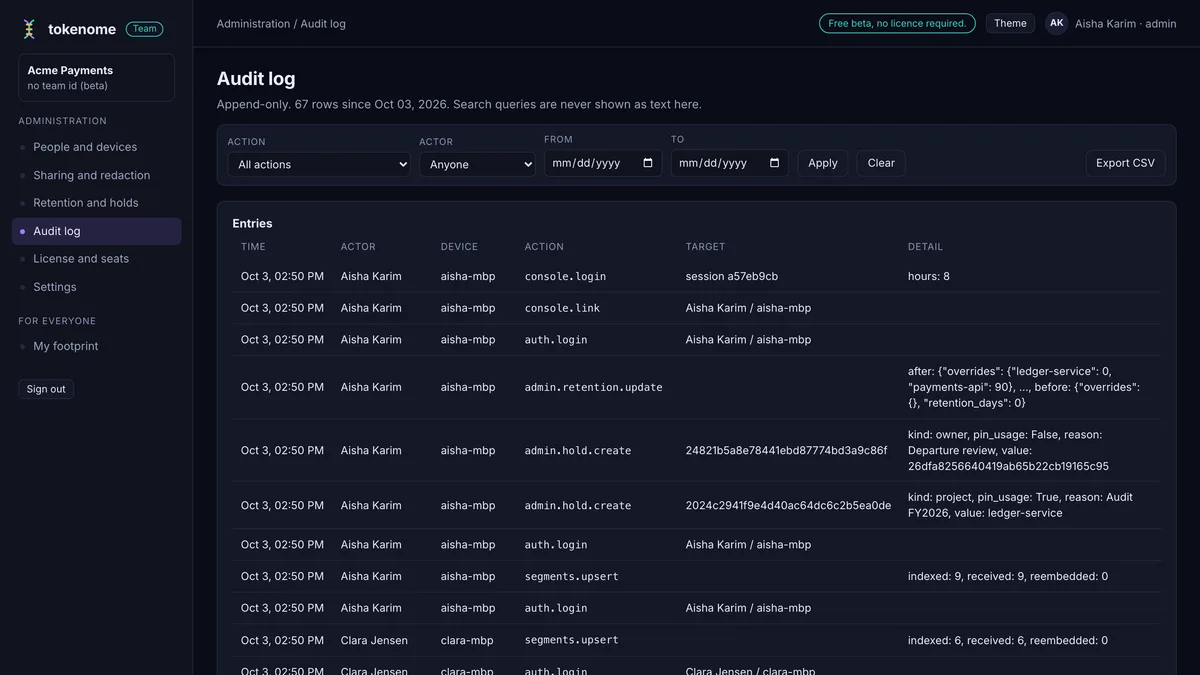
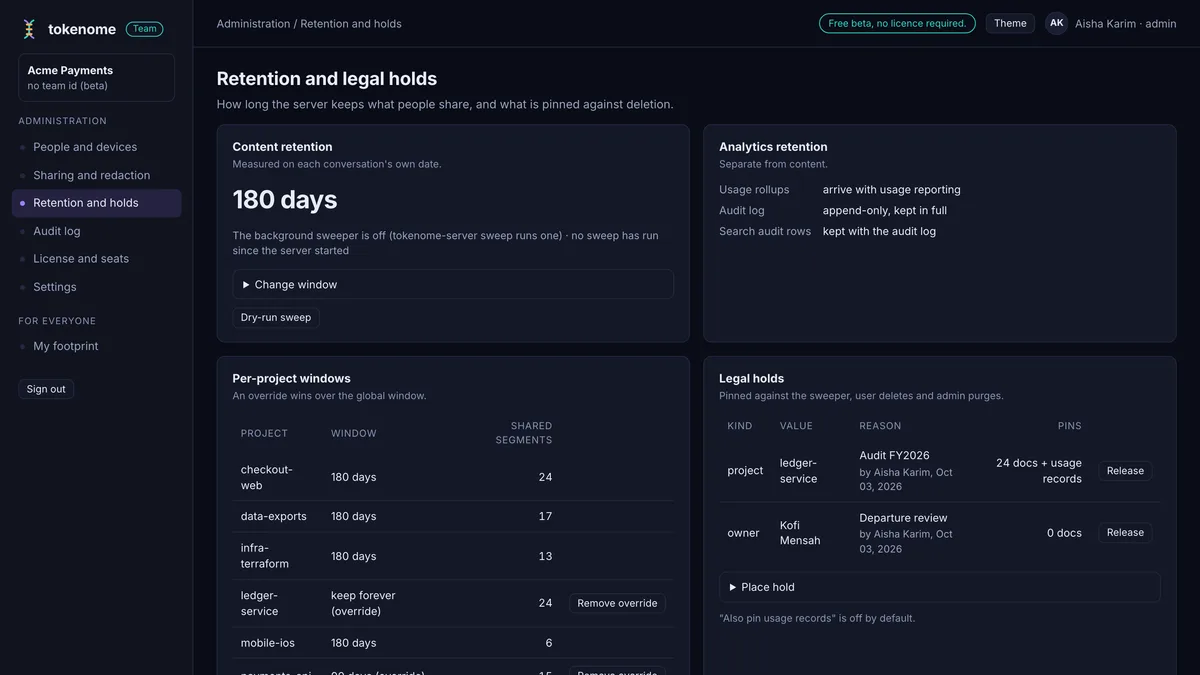
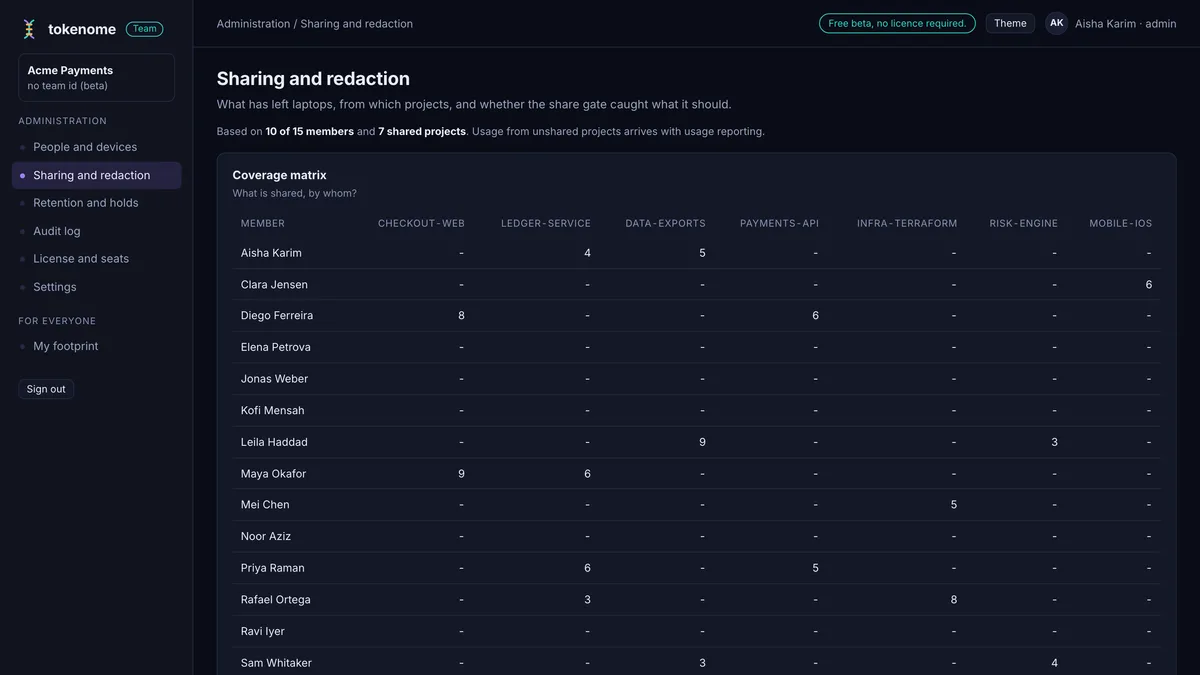
Admin console · in the beta now
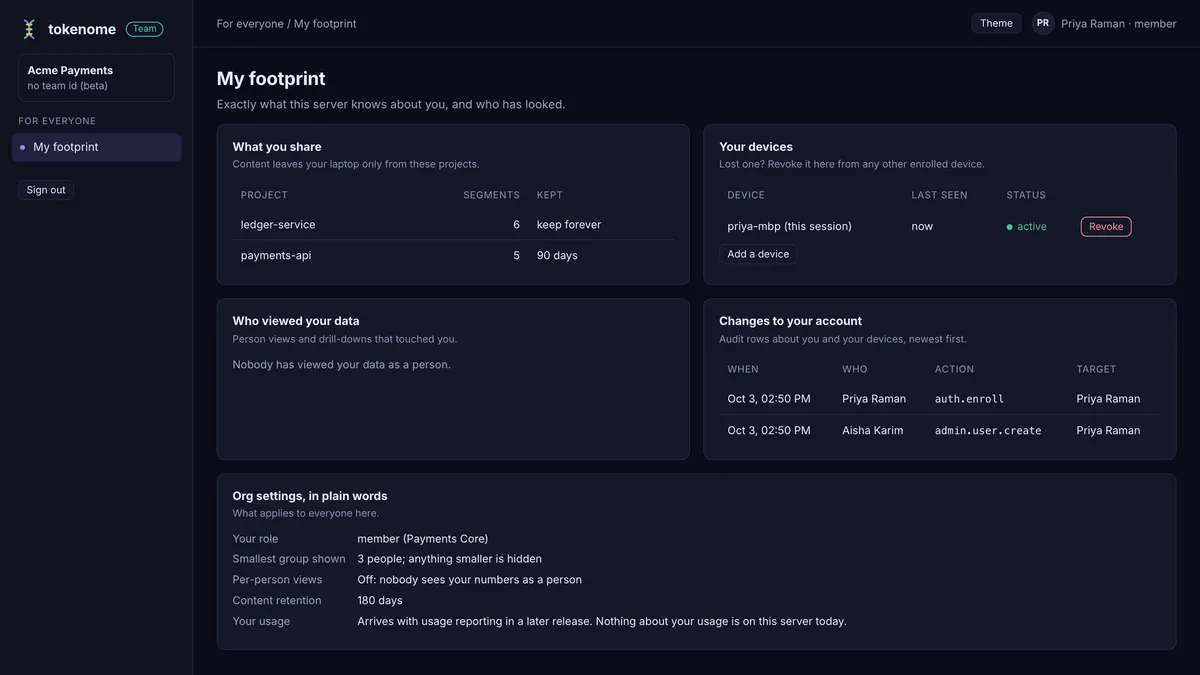
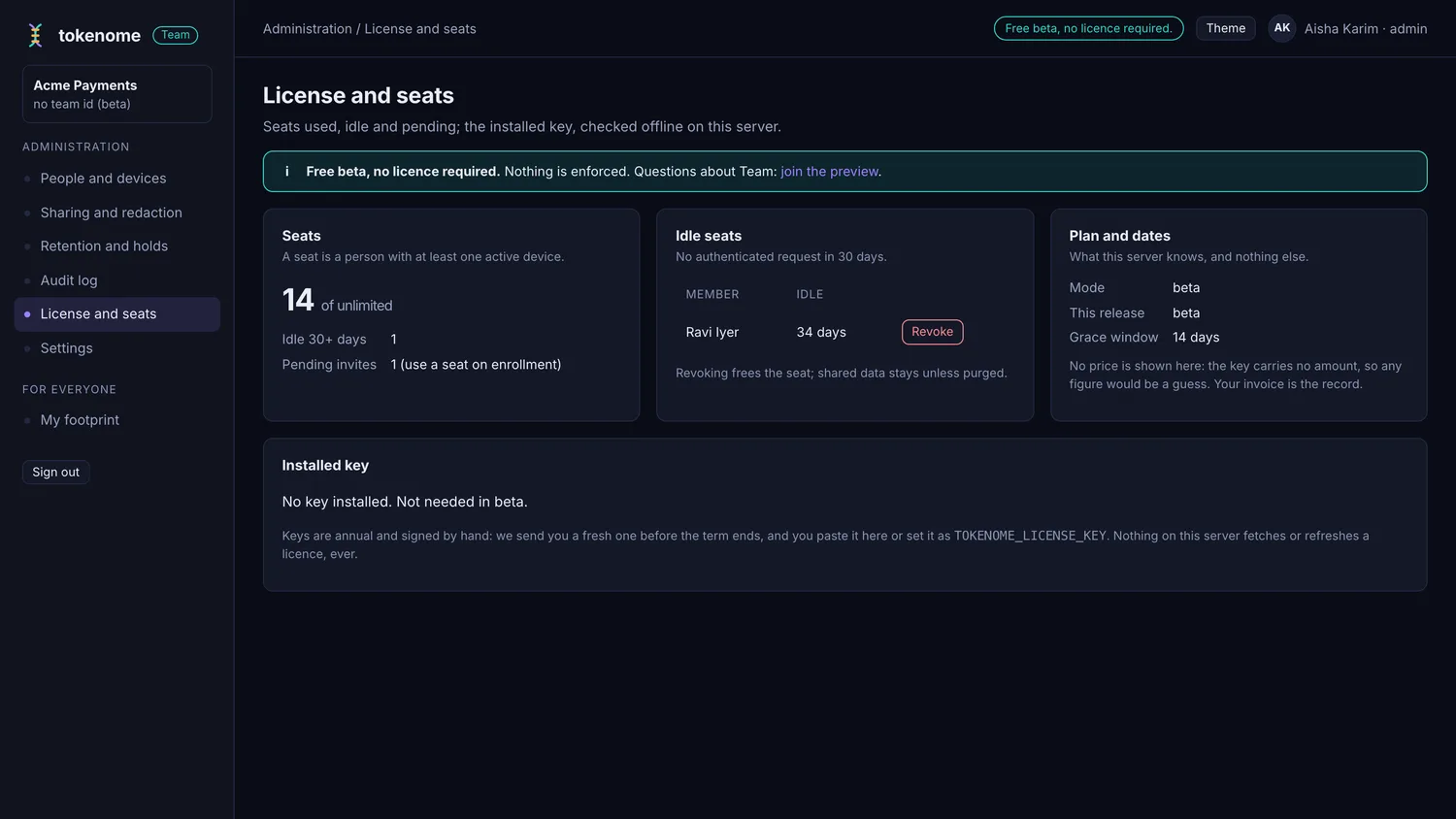
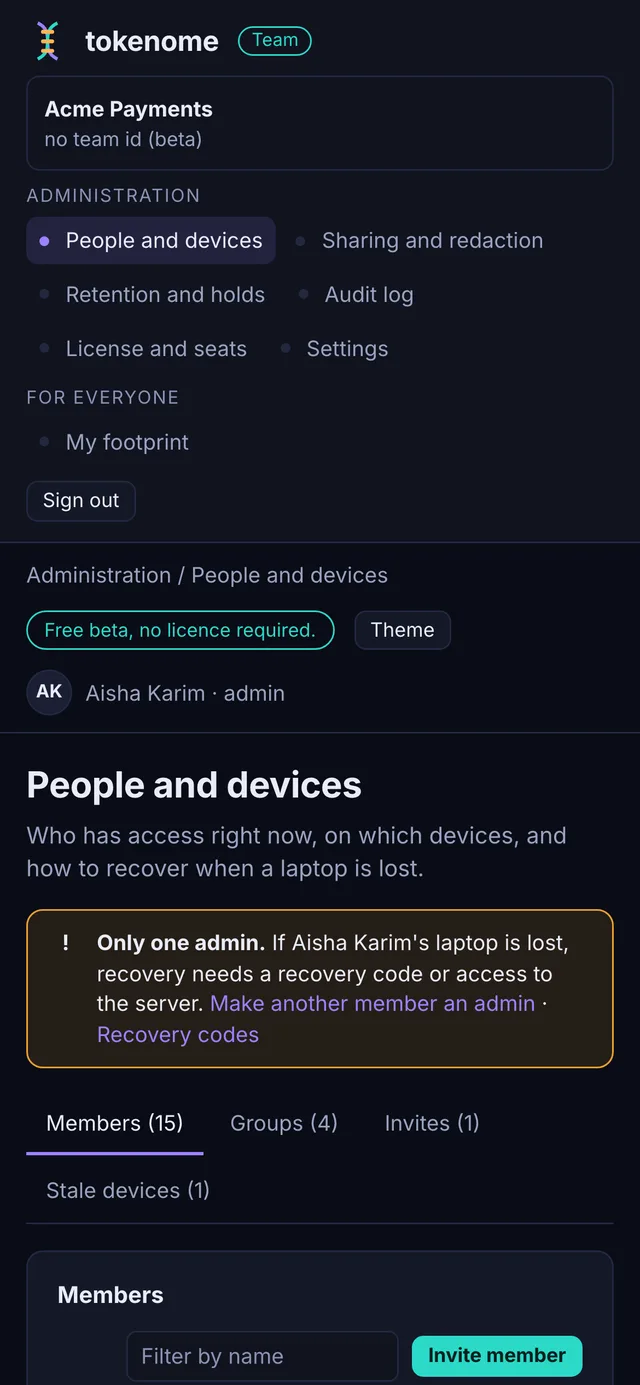
Who has access, on which devices, what is being shared, what is kept and for how long, and who looked at what. It runs on your server, next to the index, and every member can see their own footprint without asking anyone.
Pricing
Embeddings run on your own hardware, so there is no usage meter and no bill that grows with how much you search.
Individual
Available todayNot a trial. Not a freemium clock.
Team
BetaFree while Team is in beta. $240 a seat a year on the annual plan, self-hosted and paid up front, which is two months free. 3 seats minimum, because a team-wide search does nothing for one person.
In the beta now, on top of Individual
Coming
Enterprise
PlannedAnnual contract, invoiced. Nothing on this card ships today, and we are not naming a date for it.
Everything in Team, plus
Founding customers
Team is free for now. When billing starts, the first ten teams to move from the beta onto a paid plan pay half price for their first paid year: $120 a seat a year on the annual plan, or $12 a seat a month. The renewal price is the list price, and it is written into your order before you sign anything. Asking for a slot holds the discount for when billing starts; it charges nothing now.
These are your inputs, not our claims. The arithmetic is on the page.
Put another way: at $24 per seat per month, Tokenome pays for itself if it saves each engineer 3.5 minutes a week. One found conversation covers a month.
Nothing here is measured from your systems and none of it is a promise. It is your own arithmetic, shown openly, so you can decide whether the problem is worth solving before you install anything.
Team beta
A real team runs on it today: each member searches everyone's shared projects and sees who said what. You choose which projects to share, secrets are redacted on the laptop before anything leaves it, and the server runs on your own infrastructure. Team is free for the whole beta. Tell us roughly how many engineers, and we will help you stand up a server and enroll your team. Enterprise is not open yet; say so here and we will come back to you.
Who builds it
John O'Neil
Founder
Sid Probstein
Engineering
Erik Spears
Engineering

One machine, no account, nothing to sign up for. Pick the AIs you use, and start searching.
macOS · Apple Silicon
A signed and notarized DMG from the public releases page. Open it, drag Tokenome to Applications, and launch it. The app updates itself from then on.
Download for macOSOn the tokenome/releases page on GitHub, as
tokenome_<version>_aarch64.dmg.
Linux · x86_64 and aarch64
Take the AppImage, make it executable and run it, or install the deb. The AppImage is the one that updates itself.
Download for LinuxOn the same page, as
tokenome_<version>_amd64.AppImage,
tokenome_<version>_aarch64.AppImage and the matching
.deb files. Every download carries a
.sha256 next to it.
The Python runtime, the search engine and the embedding model are inside the bundle. There is nothing else to fetch, no runtime to install first, and no model download on first run.
Want it on the command line? The app installs that for you: open Settings, choose
Install command-line tool, and tokenome lands at
~/.local/bin/tokenome, running the runtime the app already has. Then
tokenome app opens the web UI at localhost:8741.
Only want the command line? It is published as tokenome-ai, and
uv fetches the Python it needs with it:
uv tool install tokenome-aiThat puts three commands on your PATH: tokenome for the CLI,
tokenome-mcp for the server your agent talks to, and
tokenome-web for the web UI. No app, no account, same local index.
The plugin is how an agent gets why_was and the rest. Two lines, and
Claude Code can ask your history itself:
claude plugin marketplace add tokenome/releases
claude plugin install tokenome@tokenome
From the app, tokenome claude install does both for you and registers
the MCP server with the token for this machine.
On Windows? There is no Windows build yet. Ask us for one.
Local-first · Cross-tool · Searchable · Yours